Live & solo tracking
Workout tracking for every set, in person or on their own.
Coach a session live from the dashboard, or let clients train solo with the app. Either way every set, weight and rating lands in one place, with new bests flagged, ready for your review.
14-day free trial · No credit card
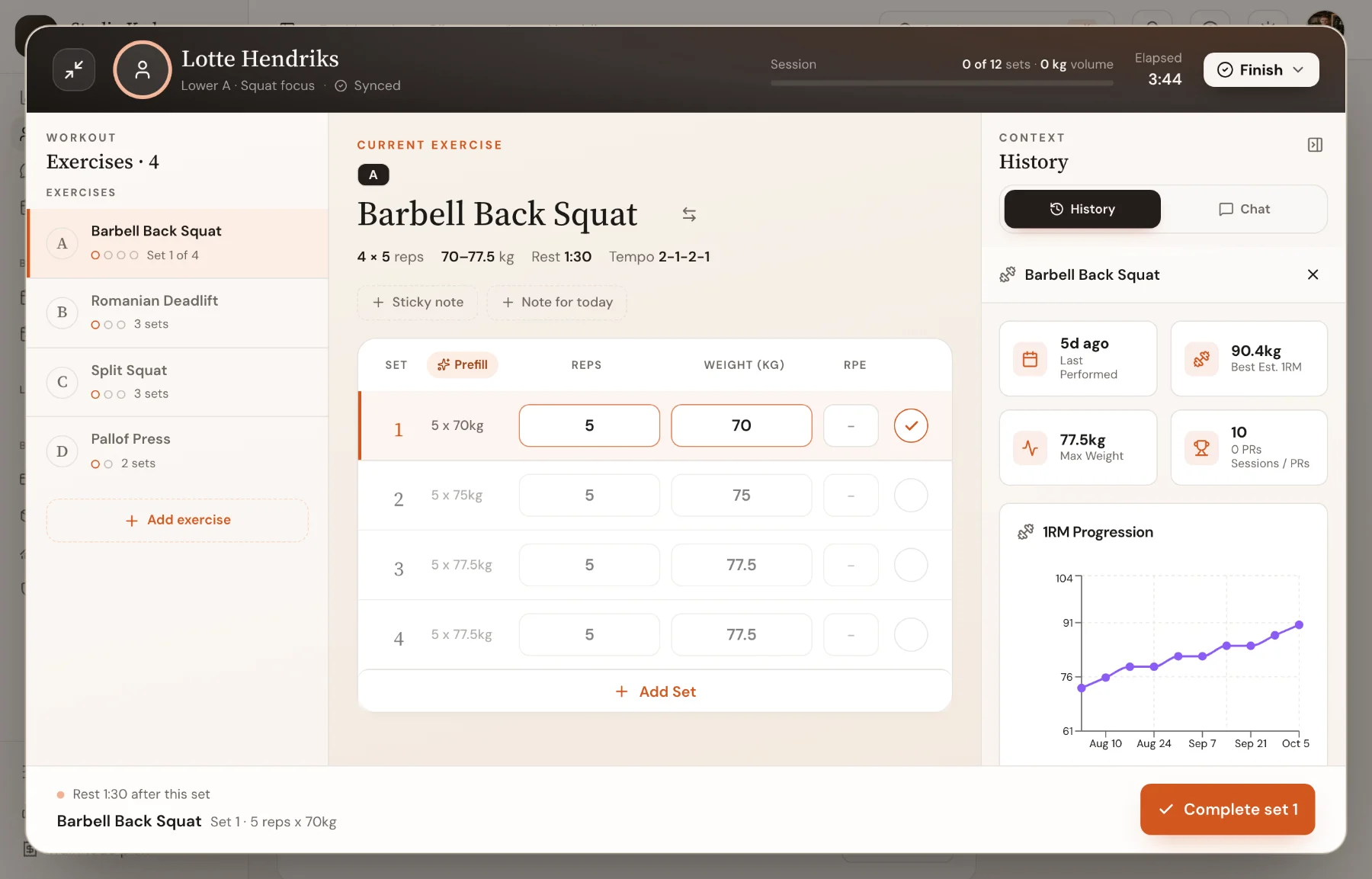
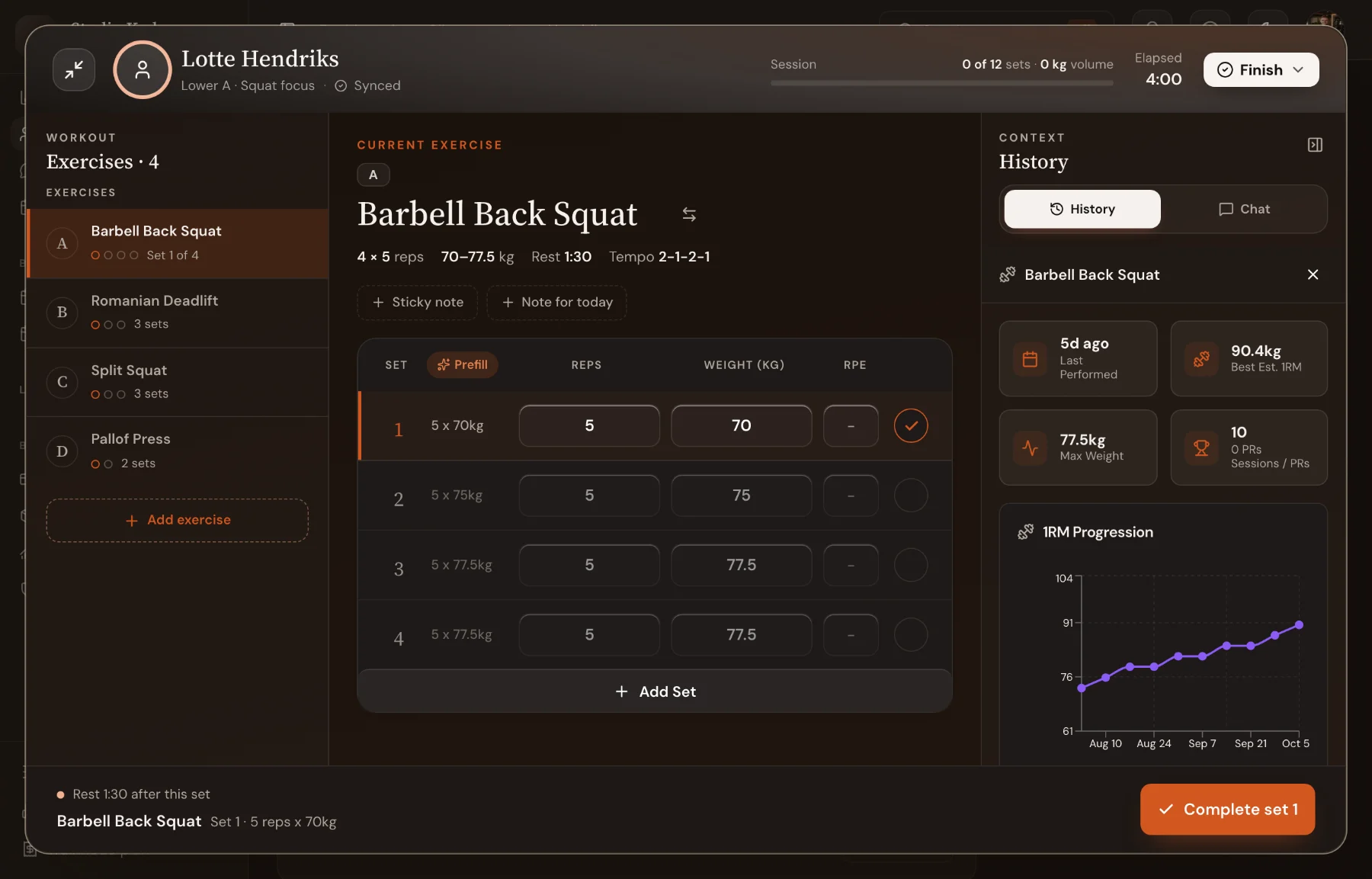
Solo in the app
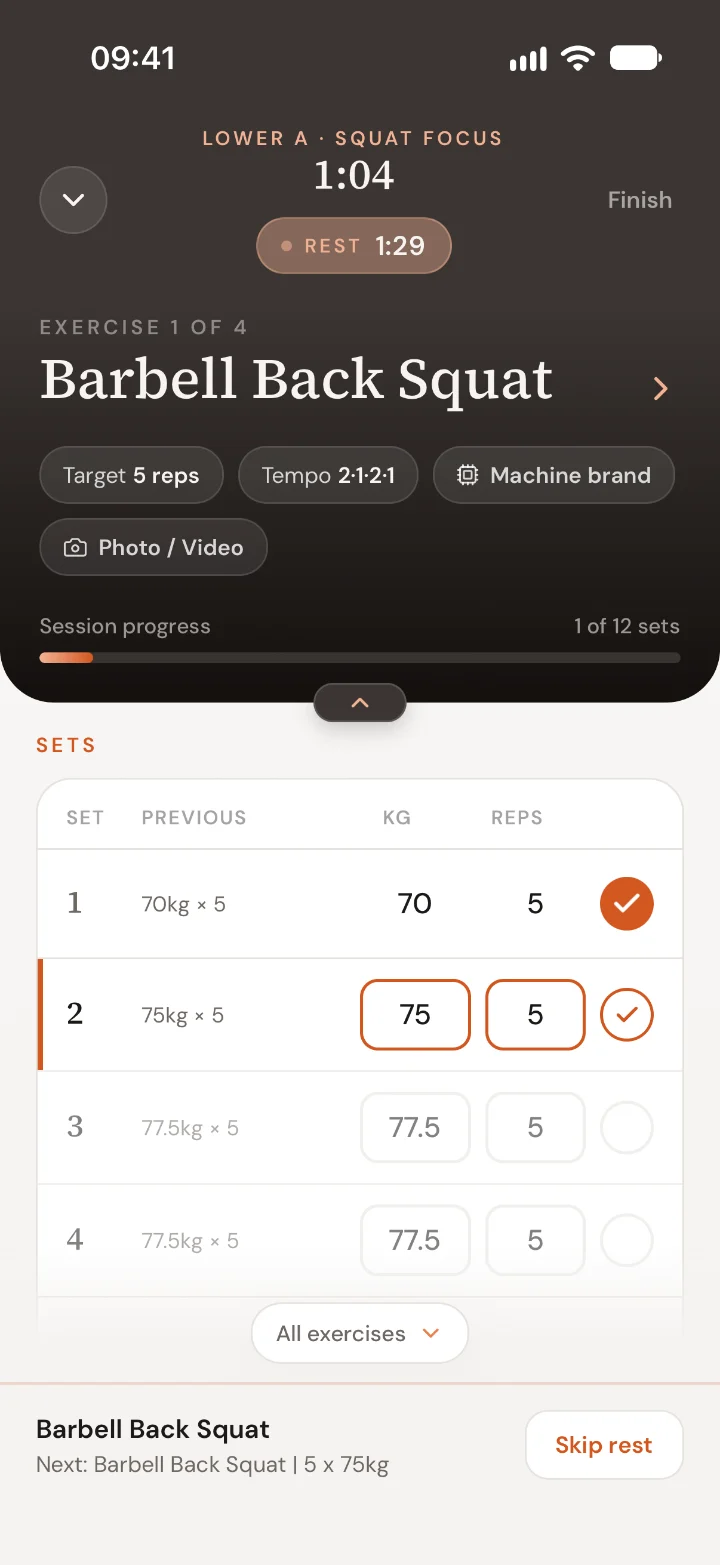
Clients train with the plan in their pocket.
The app shows last session’s numbers next to each set, runs the rest timer by itself and moves to the next set when they log one. On iPhone the rest timer also sits on the lock screen.
- Last time’s weight and reps beside every set
- Rest timer that starts on its own
- Notes, ratings and videos captured as they train
Review
Every finished session, read in a minute.
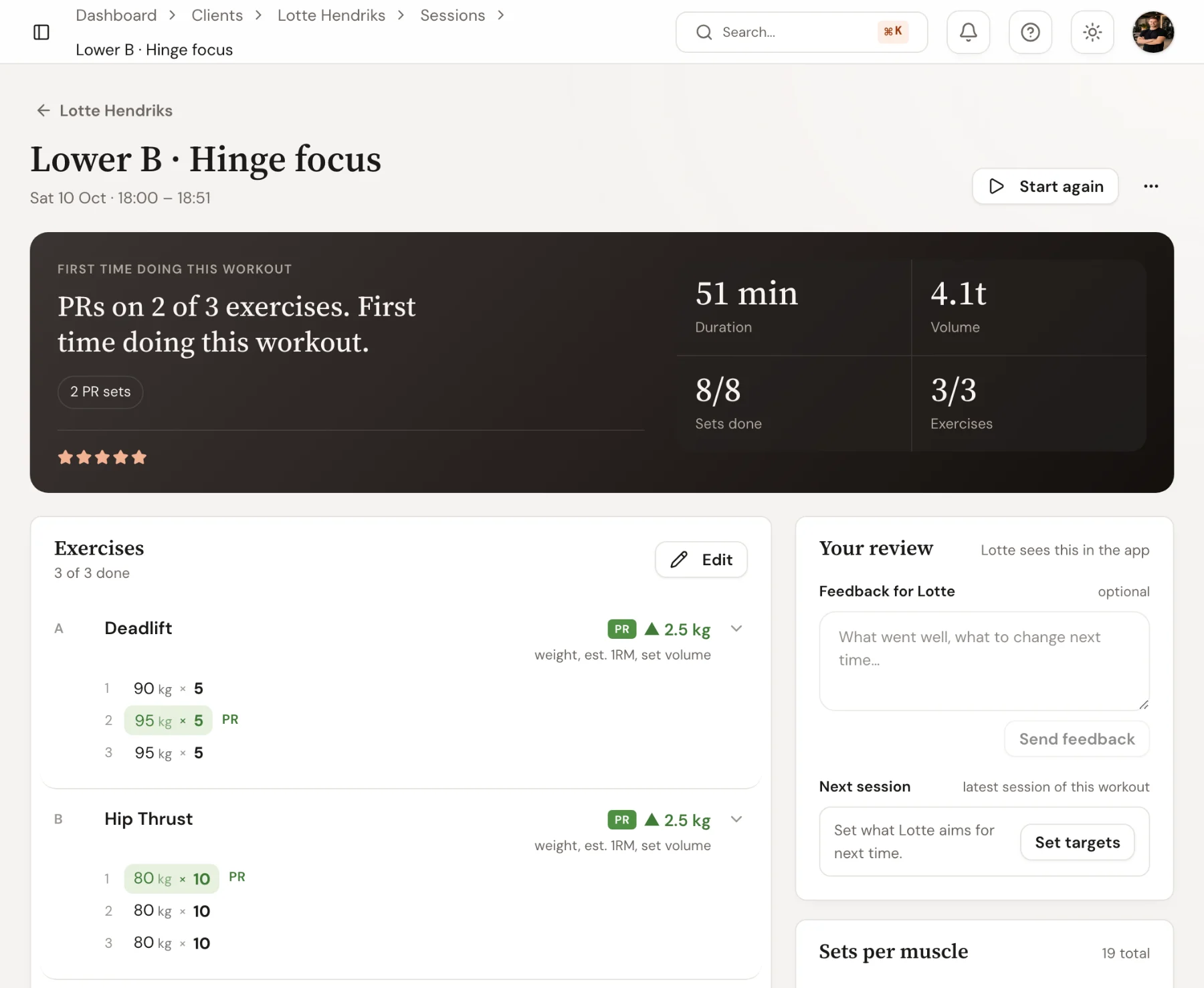
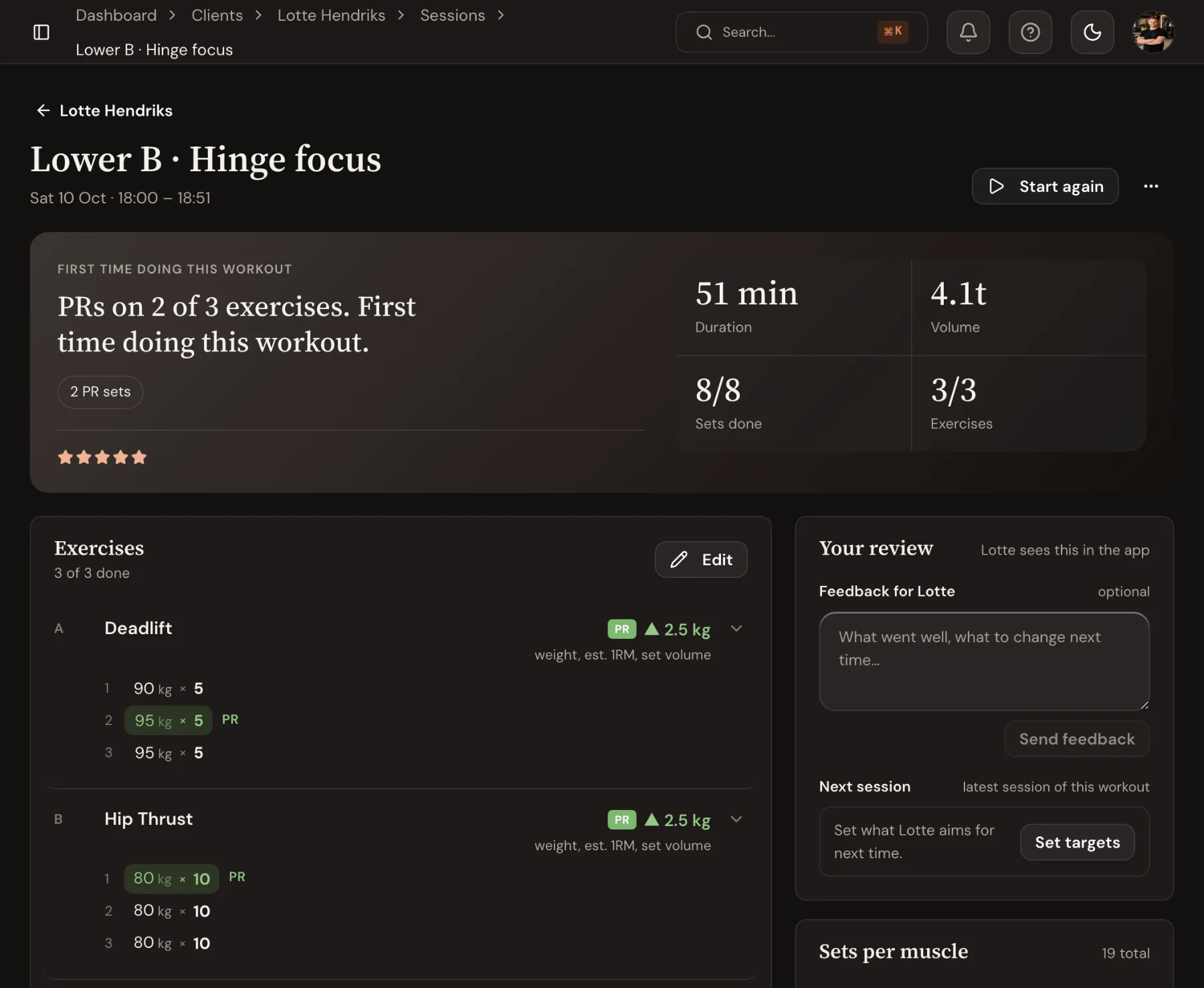
A finished session opens with what happened: new bests, duration, volume and sets done, then each exercise with the change against last time. Write feedback the client reads in the app, and set their targets for next time from the same page.
- PRs and the change per exercise against last time
- Feedback the client sees in the app
- Sets per muscle for the session
Session Tracking: guides and templates
Step-by-step help from the Trainnode guides, with screenshots of the screens above.
Frequently asked questions
- Can clients track workouts without me there?
- Yes. Clients can run any assigned workout from the app. The rest timer, last session’s numbers and set logging work the same whether you are there or not.
- Can I coach more than one client at once?
- Yes. The dashboard keeps several live sessions open side by side, so you can coach a duo or a small group and switch between clients.
- Does it detect personal records?
- Trainnode flags new bests as they happen: heaviest weight, estimated 1RM and set volume, and lists them by day on the Personal records page, so you and the client never miss one.
- Can I edit a session after it is logged?
- Yes. Coaches can correct sets, add notes and adjust any logged session; the totals recalculate.
Ready to coach with less admin?
Start your free trial today, or see everything Trainnode does.