Moving your studio to new software without losing clients
A four-week plan for switching a PT studio to new booking and coaching software: what to export, when to tell clients, and how to avoid a messy changeover.

Coach at Omnia Personal Training and co-founder of Trainnode · 4 min read
Most studios put off switching software for a year longer than they should. The fear is reasonable: clients who can't book, payments that stop, a week of coaches answering "how do I log in" messages. All of that is avoidable with a plan. The studios that switch smoothly treat it as a project with a date, not something to do between sessions.
Week 1: export and decide
Before you touch the new system, get your data out of the old one. Most platforms let you export to a spreadsheet (CSV or Excel).
Export at least:
- Client list: name, email, phone, date of birth, goals, medical notes
- Who coaches whom
- Active memberships and session packs, with remaining sessions and renewal dates
- Upcoming bookings for the next four weeks
Nice to have: training history, body measurements, check-in answers. Ask the old platform what they can export. Some keep training history locked in.
Then decide your switch date. Pick a week without holidays, and not the first week of the month if memberships renew then.
Week 2: set up and test with your team
Set up the new system as if clients were already on it:
- Your products: packs and memberships with the same prices and terms clients have now.
- Booking: session types, opening hours, each coach's availability and your cancellation policy.
- Payments: connect your payment provider and run one real test payment.
- Your brand: logo and colours, so clients recognise the app as yours.
Then have every coach use it for a few days with a test client. Book a session, log a workout, cancel, rebook. Problems you find now are not problems clients find later.
Week 3: move clients over
Import the client list, check it, and send invites in one batch, on the same day you tell clients about the change.
The message to clients matters more than the software. Keep it short, say what changes for them, and what stays the same:
From Monday we use a new app for booking and training. You'll get an email today with a link to sign in. Your sessions, credits and coach stay exactly as they are. Any questions, just reply.
Personally contact anyone who hasn't signed in after three days. A message from their own coach works better than a second automatic email.
Week 4: run both, then stop
Keep the old system read-only for at least a month, for history and the odd question about an old payment. Stop new bookings there from the switch date, or you'll end up with bookings in two places.
Get your coaches on board first
Clients follow their coach. If a coach is unsure about the new app, clients notice in the first session. Before switch day:
- Give every coach a login in week two, with their own test client.
- Let them do the three things they'll do every day: see today's sessions, log a workout and reply to a message.
- Agree on one answer to "how do I…" questions. A short list on paper next to the rack helps in the first week.
- Name one coach as the go-to person for questions from the team, so the owner isn't the only help desk.
In the first week after the switch, ask every coach at the end of the day what went wrong. Fix small things the same day, and the whole team trusts the new system faster.
The four mistakes that make switches go wrong
- Switching mid-month for memberships. Credits and renewals get messy. Switch at the start of a billing cycle.
- Moving clients in waves. Half your clients in each system means coaches check two calendars.
- Changing prices at the same time. Clients link the new app to the price rise. Do one, then the other.
- No owner. One person needs to own the switch, with a date in the calendar.
In Trainnode
Import your client list and send invites in one go
Trainnode takes a CSV or Excel export from your current platform or a spreadsheet.
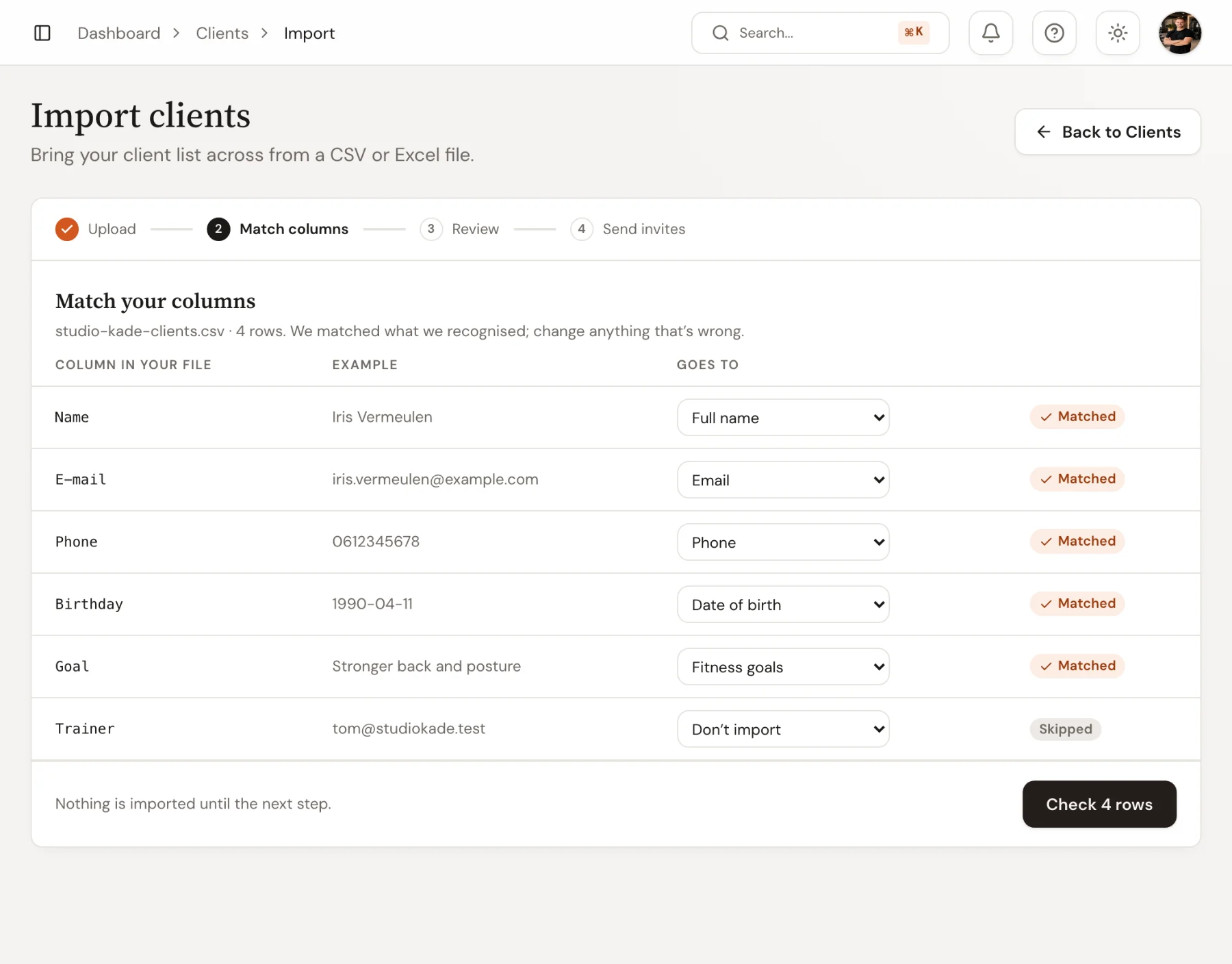
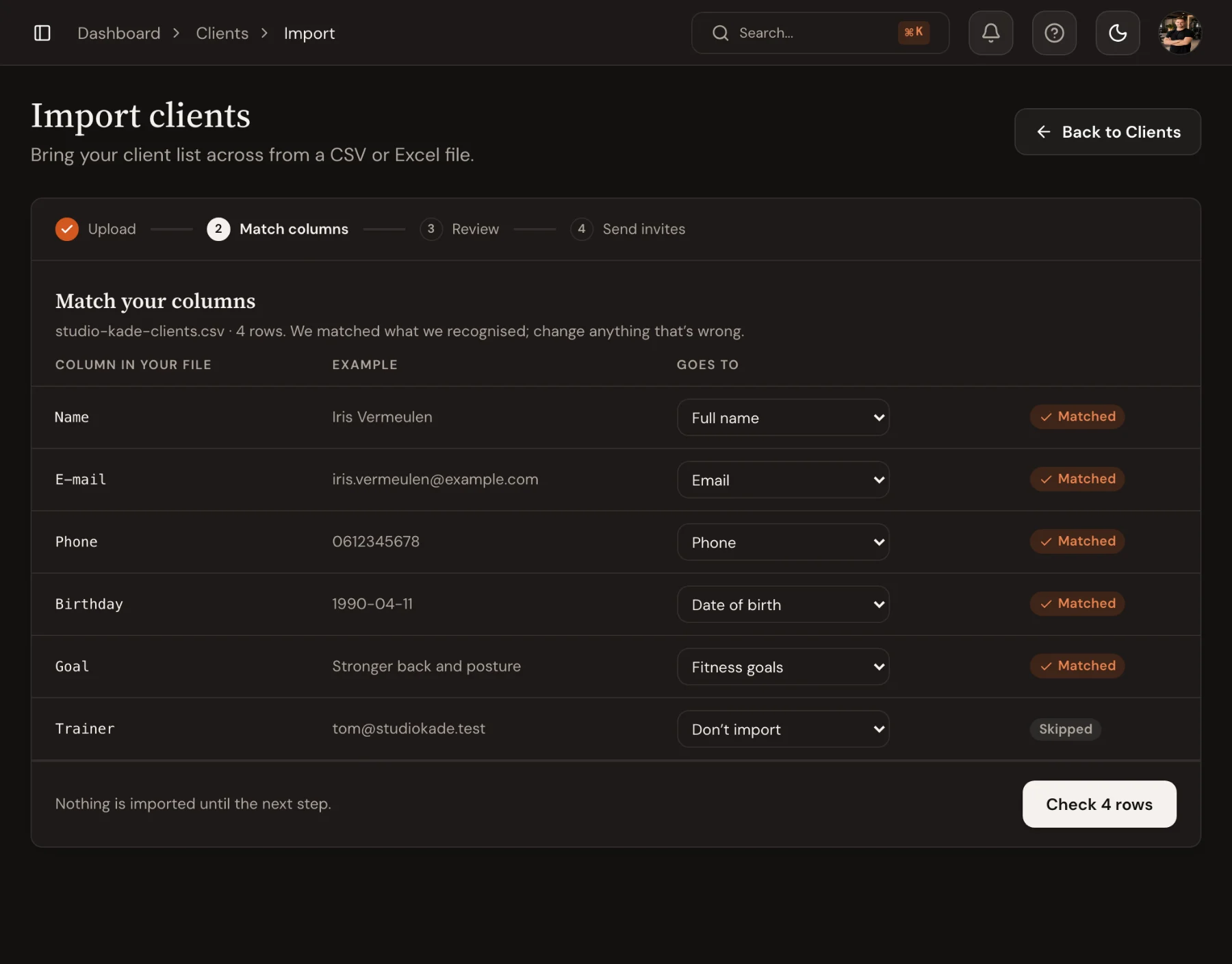
- Upload the file. Trainnode matches your columns to its fields (name, email, phone, date of birth, goals, medical notes, coach) and shows you each match.
- Review the rows. Anything it can't import is listed, and nothing is saved until you confirm.
- Send every imported client an invite with a sign-in link, straight away or when you're ready.
Switching from another platform with memberships or packs? Book a call with David first; he'll go through your setup with you.
Questions
Do clients have to create a new account?
They get an email with a link that signs them in. They set a password once, or sign in with a code sent by email.
What about clients' training history?
Send us what your old platform exports and we'll tell you what can come across. Either way, keep the export: coaches can still look up old numbers, and Trainnode builds new history from the first session.
How long does a switch take for a studio with 100 clients?
Most of the work is the setup in week two: a few evenings. The client move itself is one afternoon.
