Log a workout in the Trainnode app
How to start the workout your coach planned, log your sets with the previous numbers next to you, use the rest timer and finish.
Trainnode team
1 min read
Your coach plans your workouts in Trainnode. When you train on your own, log them in the app, so your coach sees what you did and can plan the next step.
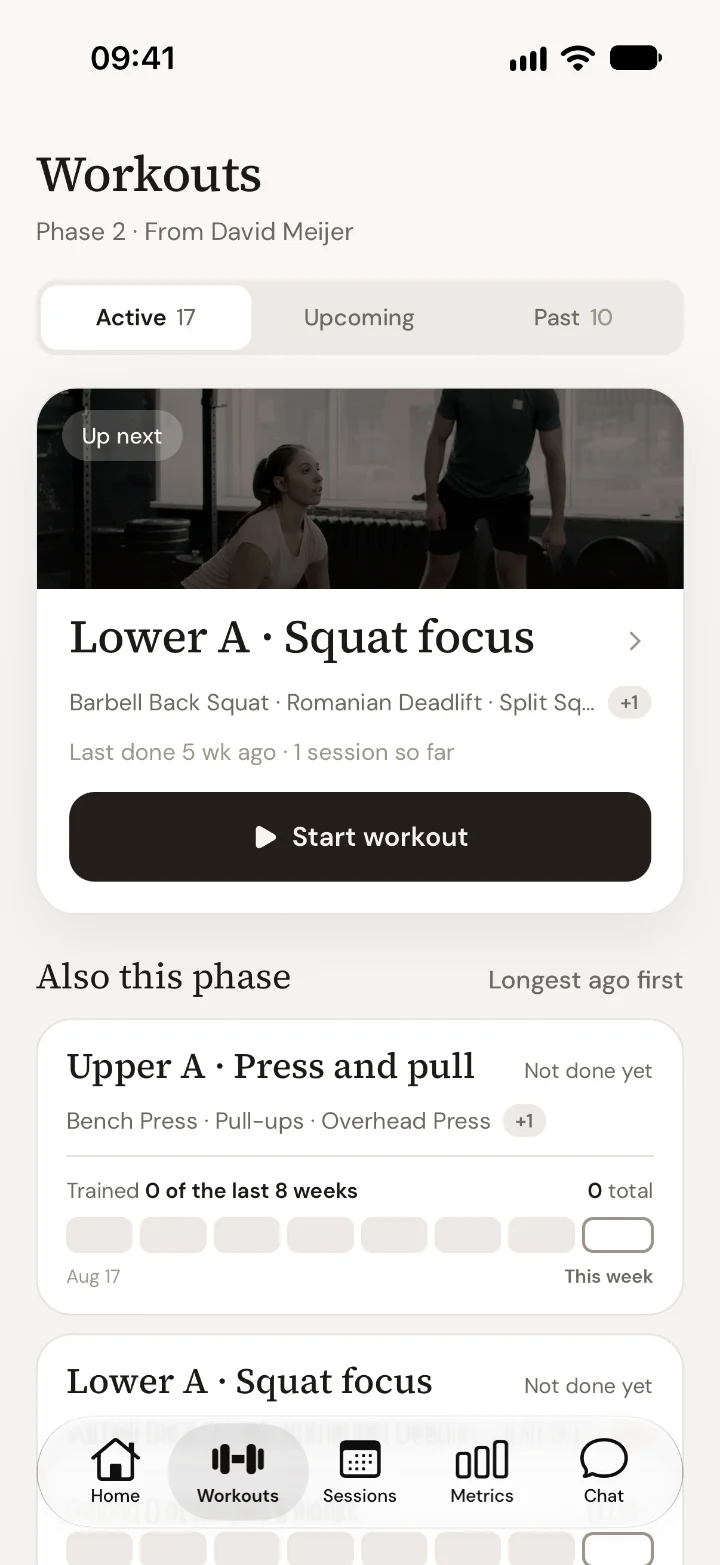
Start the workout
Tap Workouts. Your next workout is at the top. Tap Start workout.
Log each set
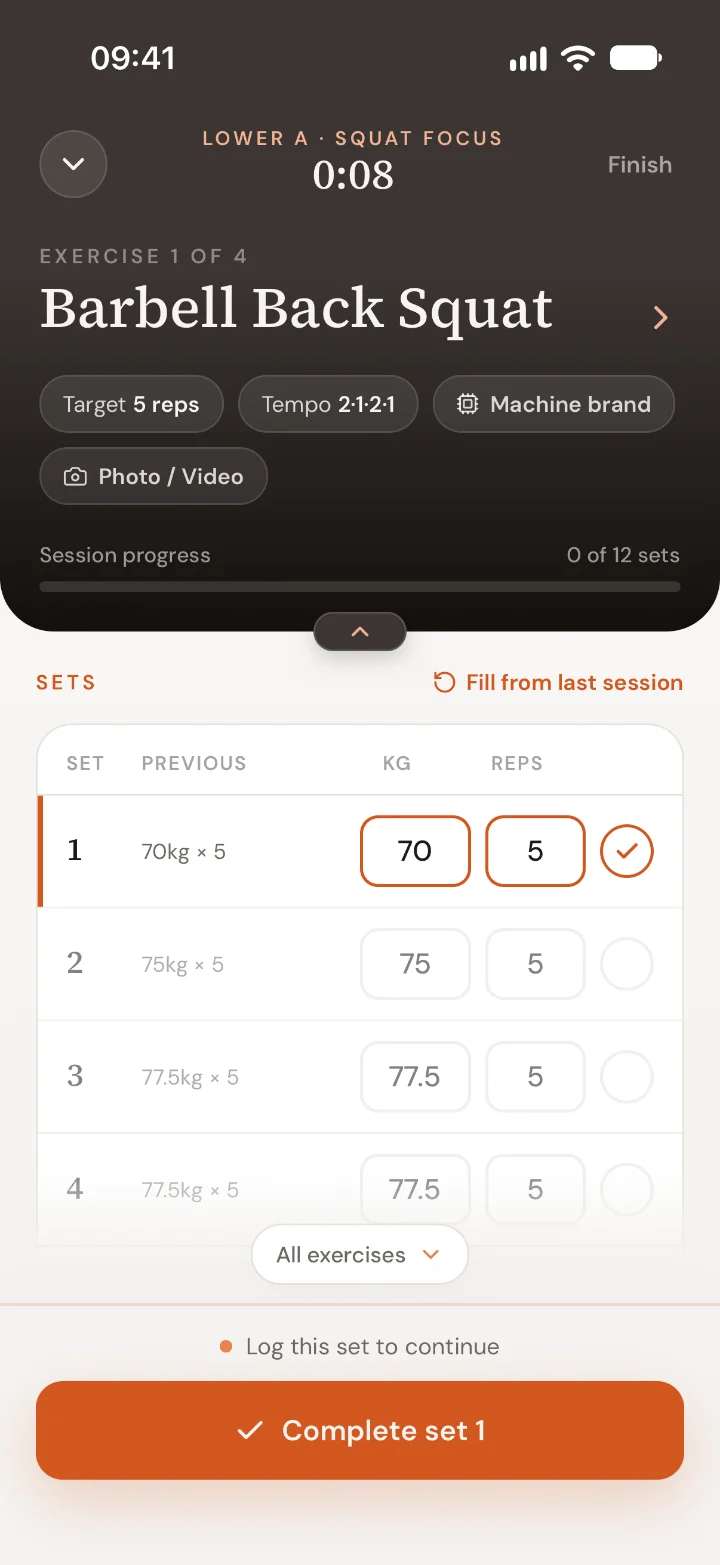
Each exercise shows your target and what you did last time under Previous. The weight and reps are filled in from your plan. Change them if you did something different, then tap Complete set.
Tap Fill from last session to copy last time's numbers. Tap the arrow next to the exercise name to go to the next one, or open All exercises to jump around.
Rest
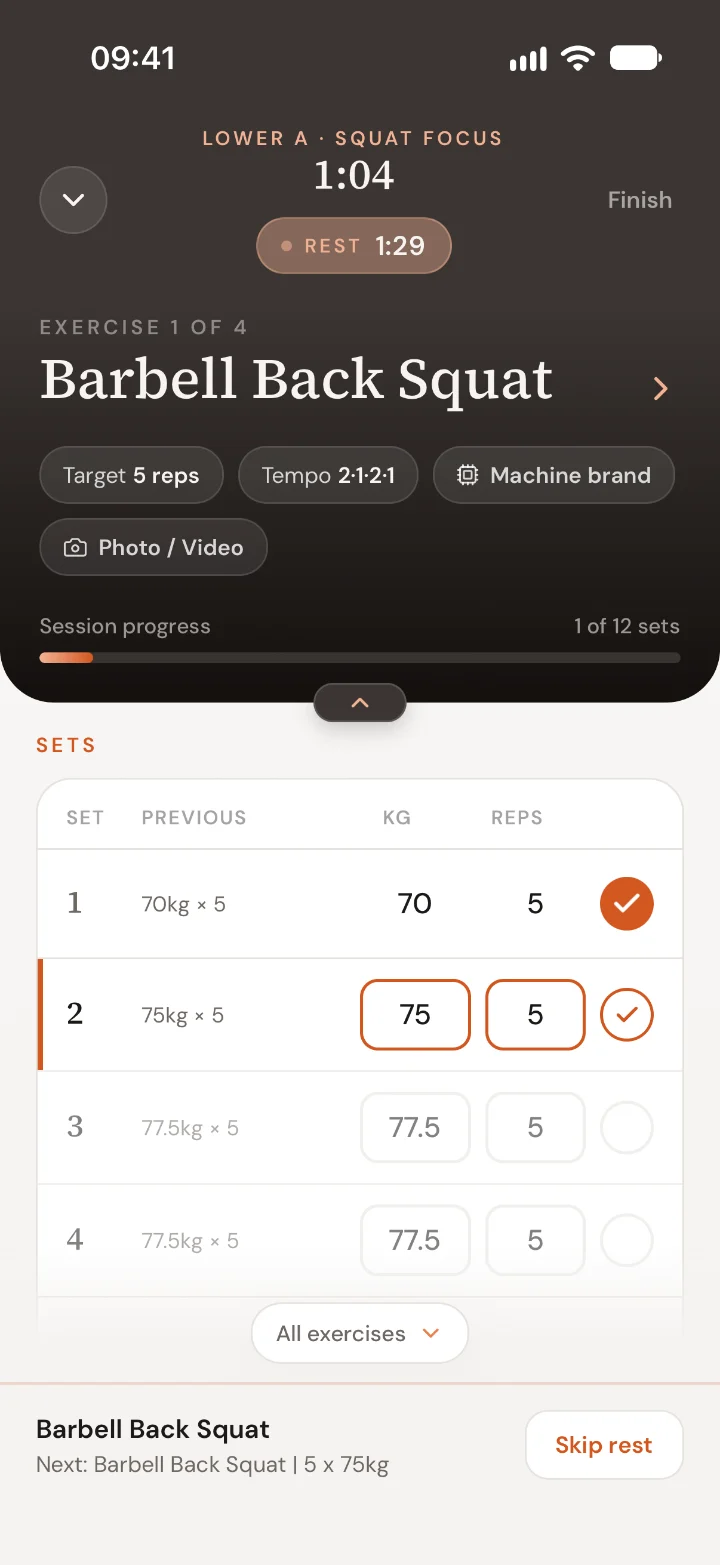
After each set, the rest timer starts at the top. The bottom shows what's next. Tap Skip rest if you're ready sooner.
Finish
Tap Finish when you're done. You can rate how it went and leave a note for your coach. If you set a personal record, the app shows it.
Good to know
- Training with your coach? They can log the session from their side. You'll see the sets appear on your phone as they go.
- You can leave the app during a workout. The timer keeps running, and on iPhone you see the rest timer on your lock screen.
- Want to add a photo or video of a set for your coach? Tap Photo / Video on the exercise.
Something not right with your plan? Ask your coach in Chat.

 Book 30 minutes with David