Fill in your check-in in the Trainnode app
What the weekly check-in from your coach is for, how to fill it in in the Trainnode app, and what happens with your answers.
Trainnode team
1 min read
Your coach sends a few short questions, often once a week: how your energy was, how you slept, whether anything hurts. It takes about a minute, and it helps your coach plan your next session.
Open the check-in
When a check-in is waiting, it's at the top of Home. Tap Start survey. You also get a reminder at the time your coach set.
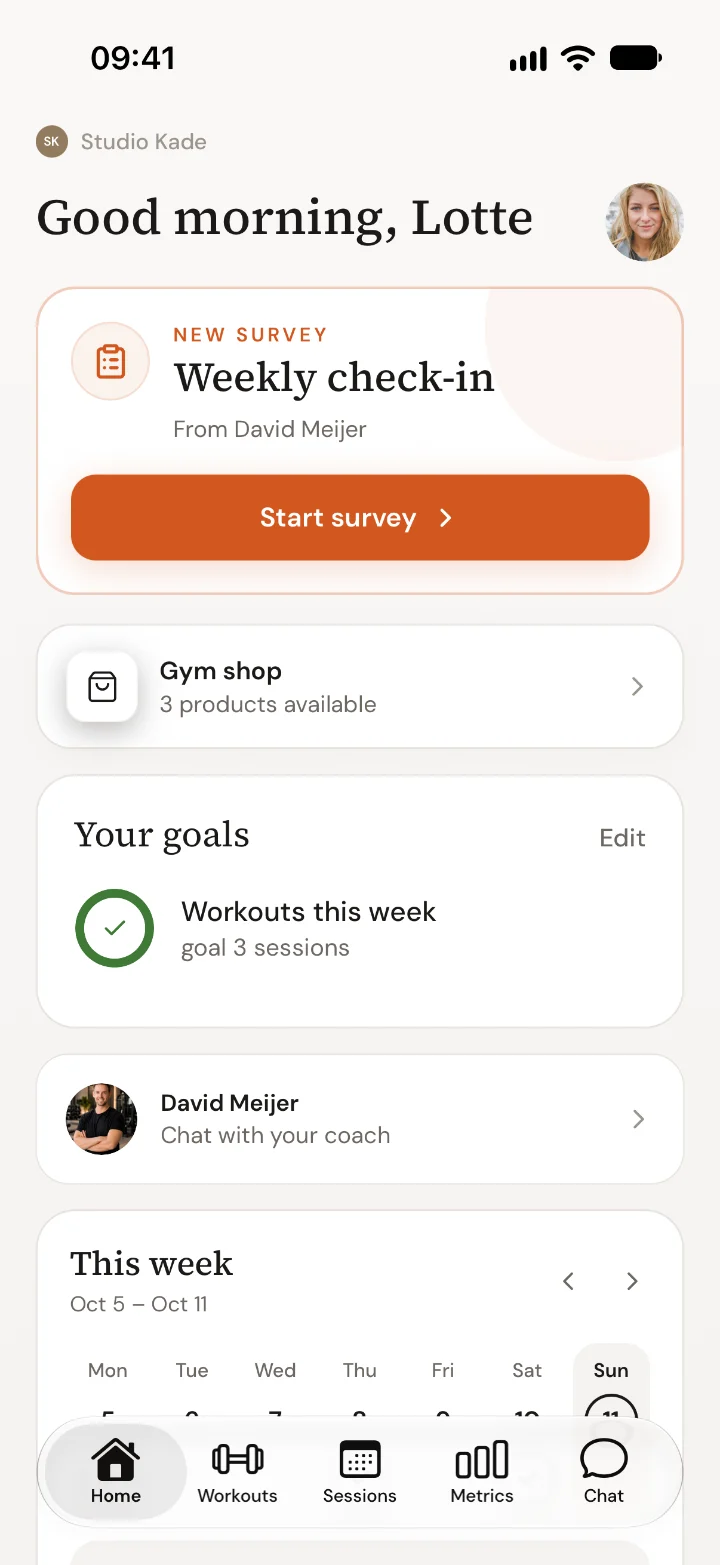
Answer the questions
Tap a number, a face or an option, and type a short answer where it asks for one. Some questions only appear after a certain answer, such as Where, and how bad? after you say something hurts. Questions without a star are optional.
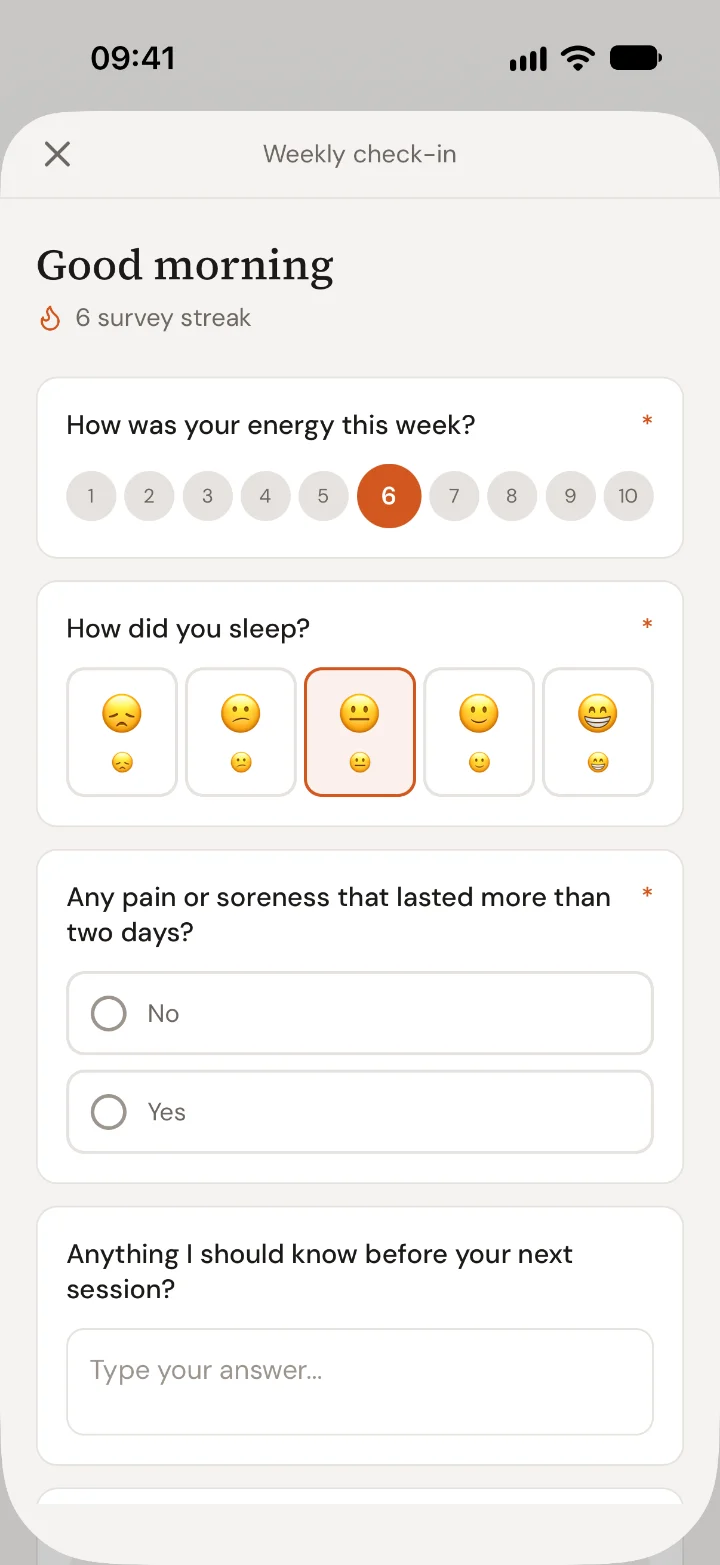
Send it
Tap send at the bottom. Your coach sees the answers straight away. Fill it in every week to keep your streak going.
What your coach does with it
Your answers help your coach adjust your training. Slept badly or something hurts? Expect a lighter session. Feeling great? You might get pushed a little more. If you write something in the last question, your coach usually replies in Chat.

 Book 30 minutes with David