Cancel or move a session in the Trainnode app
How to cancel a booked session in the Trainnode app, when you get your credit or money back, and how to move a session to another time.
Trainnode team
1 min read
Before you start:iPhone and Android app
Plans change. Here's how to cancel a session, and what happens to your credit or payment.
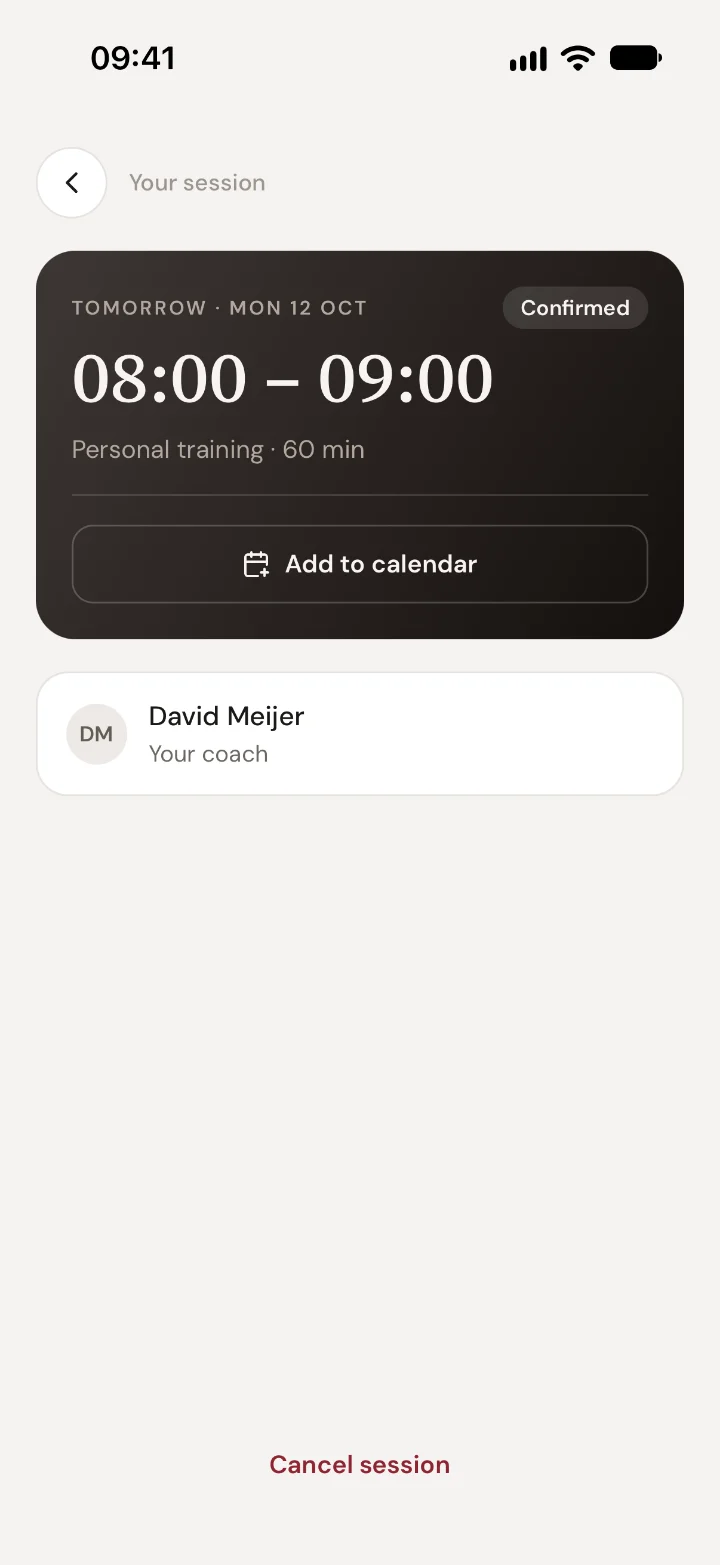
Open the session
Tap Sessions. Your next session is at the top; tap Details. For a later session, scroll down to your upcoming sessions and tap it.
Cancel it
Tap Cancel session at the bottom. The app tells you what will happen before you confirm:
- Before the free cancellation time: you get your credit or money back.
- After that: your studio's cancellation rule applies. Often the credit is used, unless someone else books the time.
You saw the free cancellation time when you booked. It's the same for every session of that type.
Move it instead
Want another time rather than cancelling? Book the new time first, then cancel the old one, so you don't lose your place. Or ask your coach in Chat to move it for you.
Good to know
- If your coach or the studio cancels, you always get your credit or money back.
- Sick or an emergency? Let your coach know in Chat. Many studios make an exception now and then.
Read next
App help1 minBook and pay for a session in the Trainnode appHow to book a personal training session at your studio in the Trainnode app, pay with credits or by card, and cancel or move it.App help1 minMessage your coach in the Trainnode appHow to send your coach a message, photo or video in the Trainnode app, who reads it, and how to get notified when they reply.

 Book 30 minutes with David